

Did you know millions use the Shein app to get exclusive coupons? These coupons can slash dress prices by up to 30% during flash events. This makes exploring Shein App Benefits a smart move for trendy fashion shoppers.
This guide will show you easy steps to earn Shein app rewards today. You’ll find out how to download the app, get exclusive offers, and check in daily for points. Plus, how to join live events for more coupons and prizes.
Recommended content:
You will remain on the same website.
Why this is important: App-only discounts and daily check-ins really add up. There are also live events and flash deals. Follow these tips to save more, find seasonal trends, and enjoy personalized shopping with easy checkout.
Want to save on trendy accessories and clothes? Keep reading for clear steps to increase your Shein app rewards. Discover how to find the latest trends with less effort.
Why Use the Shein App for Extra Rewards
The Shein app makes getting rewards easy and valuable. It allows you to shop on your phone conveniently. It has features for quick search, filtering by size and style, and saving your favorite items. This makes it easier to find new trends and ready your wish list for sales.
App-only deals often offer unique discounts, like instant coupons and early sales. You also get special bundles. These deals can come out before those on the website, letting you get to the lower prices first. When you buy through the app, you save more than in regular sales.
Checking out is fast in the app. It safely stores your addresses and payment info for quick purchases. This smooth process means fewer people leave without buying. It also simplifies using coupons and reward credits.
Using the app more, your recommendations improve. It becomes easier to find styles you’ll love. The app is safe, with encryption and reliable payment services. Always update the app and your device to stay safe while enjoying its benefits.
Download the Shein App and Get Started
Getting started with Shein is easy. Download the app from the iOS App Store for iPhone and iPad. Or get it from Google Play for Android devices. Make sure the developer’s name is Shein to avoid fake apps. Always check the latest reviews and app permissions before installing.
Keep your app up to date by turning on automatic updates. New versions improve security and features. They also offer exclusive promotions. The welcome screens will show you the latest deals. They tell you where to find daily check-ins and live events in the app.
Where to find the official app
Find Shein directly in the iOS App Store or Google Play. Make sure Shein is listed as the publisher. Check the latest user ratings and reviews to see if there are common issues. Be mindful of the permissions the app asks for, like notifications, storage, and location to get personalized offers.
APP Shein
Click below to find out how to get free clothes and access exclusive programs directly from the app.
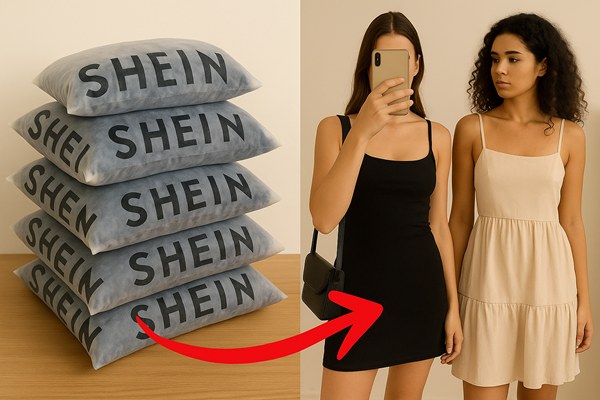
Account setup tips for a smooth start
Create your account with a reliable email. Or use a social sign-on with Google or Facebook for quicker access. Fill in your profile by adding shipping addresses. Choose the United States as your region and pick your currency. Verify your email to get updates and coupon codes reliably.
Add your birthday to get special deals. Full profiles get targeted promotions, and you get birthday coupons after adding your date. Use accurate address details to prevent delivery issues. This helps you see the right shipping estimates when you check out.
Linking payment methods safely
Choose trusted payment methods like credit or debit cards, PayPal, or supported mobile wallets for quicker checkout. Always use a secure network when entering payment details. Stay away from public Wi-Fi when adding your cards. Set up a PIN or biometric lock on your device to keep your payment information safe.
Once you’ve linked your payment methods, you can manage them in your account settings. Remove cards that expire and check your transactions often to catch any unusual activity.
| Step | Action | Why it matters |
|---|---|---|
| 1 | Find Shein on the iOS App Store or Google Play and verify developer | Prevents downloading counterfeit apps and ensures official updates |
| 2 | Enable automatic updates | Keeps security patches and app-only offers current |
| 3 | Use a stable email or social sign-on; confirm your email | Ensures order tracking, coupon delivery, and account recovery |
| 4 | Complete profile and add birthday | Unlocks targeted promotions and birthday coupons |
| 5 | Link credit/debit, PayPal, or mobile wallet on a secure network | Simplifies checkout while protecting payment data |
| 6 | Use device PIN or biometrics to secure the app | Adds an extra layer of protection for stored payment methods |
Enable Notifications to Never Miss Deals
Get the most from the Shein app by setting up timely alerts. These let you know about special, short-time offers. By turning on notifications, you’ll receive messages about flash sales, exclusive coupons, restocks, and reminders for live events, allowing you to grab deals before they’re gone.
Alerts come in various types. You might get notified about the start of a flash sale, when new coupons are available, the schedule for live streams, reminders to check your cart, and personalized recommendations based on your saved items. These alerts are crucial for making the most of the Shein app by quickly spotting unique discounts.
Here’s how to turn on push notifications in the Shein app so you won’t miss out on special deals.
In-app activation:
- Open Shein, tap Profile, then Settings.
- Choose Notifications and toggle categories like Promotions, Live Events, and Orders.
- Select the updates you prefer to keep your updates relevant.
Device-level activation:
- For iPhone users, navigate to Settings > Notifications > Shein and allow alerts.
- Android users should go to Settings > Apps > Shein > Notifications and activate as desired.
- Use both methods to make sure you never miss an alert.
To ensure you receive notifications without being overwhelmed, customize them. Choose to get informed about flash sales and coupon drops, set quiet times on your device, or opt for a daily summary directly from the app. This way, you maintain control while still enjoying the perks of the Shein app.
Your privacy is important. Notifications require app permissions, but you can modify these at any time. Changing your settings won’t affect saved coupons or rewards in your account.
| Alert Type | What It Notifies | Why It Helps You |
|---|---|---|
| Flash Sale | Start times and steep discounts on popular items | Catch time-limited bargains and act quickly |
| Coupon Drop | New app-only coupons and promo codes | Apply exclusive discounts for bigger savings |
| Live Event | Host start, prizes, and special offers | Enjoy extra coupons and fun events |
| Cart Reminder | Items left in cart, low-stock warnings | Finish your shopping before items sell out |
| Personal Picks | Suggestions based on your saved items | Find new items and deals made just for you |
Check-In Daily for Bonus Points and Rewards
Make it a habit to check in on the Shein app every day. Just a quick tap can give you coins, scratch cards, or coupons. These rewards help save money for those who shop often on Shein.
What daily check-in rewards typically include
Rewards include coins, free-shipping vouchers, and bonuses for checking in multiple days in a row. Sometimes, you might get a discount coupon or a chance to win in a draw. Always check the app’s rewards page to know how each reward helps at checkout.
Strategies to maximize points from daily activity
Keep your check-in streak going to unlock bigger bonuses. Watch out for days when points double. Adding your sizes or updating your profile can also get you more coins.
Combining check-ins with other in-app tasks
Do other tasks like leaving reviews or following stores to earn rewards quicker. Play games and participate in flash tasks for more coins. Make sure to use your points and coupons before they expire.
Join Live Events for Prizes and Coupons
Live streams on Shein make shopping exciting. You see real-time demos and get styling tips from influencers. Plus, there are special offers that don’t last long. Joining live events lets you see clothes on real people. You also get quick access to app-only deals.
How live events work and what’s usually on offer
Hosts and influencers show off outfits while viewers ask questions. Streams often have exclusive coupons, flash discounts, and giveaways. There are also mystery gifts and instant-win prizes.
You can buy products during the broadcast. This is great for grabbing time-limited deals fast.
Tips for participating and increasing your chances to win
Be early and active in chat to get noticed. Follow your favorite hosts and stores early, as some gifts are for followers. Use the app’s reactions and keep alerts on so you don’t miss out.
Add items to your cart or wishlist as you watch. If you have your payment info saved, you can quickly buy when deals pop up. This improves your chances of getting limited items.
Using live events as fashion inspiration and trend discovery
Live shopping is a fast way to see new trends and fits. You get styling ideas and see how to layer outfits. It’s a chance to find combos you won’t see in photos.
Remember to save coupon codes and check how to use them. Keep screenshots of codes to use them before they expire.
| Live Event Benefit | What to Do | Quick Result |
|---|---|---|
| Exclusive coupon drops | Follow host, stay in chat, screenshot codes | Instant savings at checkout |
| Flash discounts and bundles | Add to cart, use saved payment, checkout fast | Secure limited stock offers |
| Instant-win games and giveaways | Engage with reactions and comments, join early | Higher chance to win prizes and coupons |
| Styling demos | Watch presentations, take notes, screenshot looks | New fashion inspiration and trend ideas |
| Scheduled streams | Set reminders, enable push alerts in app | Never miss a live stream shopping event |
Activate App-Only Features for Extra Savings
Start by opening your Shein profile and checking Settings. Then, switch on Exclusive App Offers. This lets the app show you special deals and extra coupons just for you. By doing this, you turn the app into your go-to place for the latest discounts and early access to sales.
Look for special coupon codes only available in the app. You can find them on the homepage, in the Coupons or Wallet section, and on the Flash Sale pages. If you’re watching a live event, grab codes from the Live tab where a Claim button is next to limited deals. Knowing where to look makes it easier to get the best deals quickly.
Flash sales offer huge savings if you’re quick. Enable push alerts and check the Flash Sale or Deals section when it’s busy. The app often has bigger discounts for a short time, so acting fast usually works out better than waiting for desktop deals.
Your browsing history and wish list help the app suggest items you’ll like. These personalized recommendations may also come with special discounts. This makes it easy to find deals that interest you without searching everywhere.
When possible, combine different discounts. You might be able to use store coupons, app-only coupons, and reward credits together for a lower price. Make sure to check each coupon’s details for things like minimum spending, excluded items, and when it expires. This helps you plan your shopping to save the most money.
Below is a quick reference to help you act on app-only tools and offers.
| Action | Where to Find It | Benefit |
|---|---|---|
| Enable Exclusive App Offers | Profile > Settings > App Offers | Surfaces specialized discounts and unlocks app-only promotions |
| Claim app-only coupon codes | Homepage banners, Coupons/Wallet, Live tab | Redeem targeted coupons for selected items or carts |
| Monitor flash sales | Flash Sale/Deals sections, push alerts | Access deeper, time-limited discounts |
| Use personalized recommendations | Home feed and product pages | Find timely discounts on items you already like |
| Stack eligible coupons | Checkout coupon area | Maximize total discount by combining offers |
Make the Most of Shein App Benefits
Boost your savings and find new styles easily with the app. Start by engaging with products, saving your favorites, and staying on top of notifications. This way, the app learns what you like and shows you trendy styles you’ll love.
How personalized recommendations help you spot trendy styles
The app gets smarter as you like items, buy them, and set your preferences. Soon, it shows you hot fashion pieces quickly. This means less scrolling and more time enjoying styles that suit you.
Using wish lists, favorites, and notifications together
Wish lists keep you updated on restocks and price drops. Combining these with notifications means you’re first to know about sales. This strategy turns browsing into smart, quick buying during special deals.
Combining app rewards with seasonal promotions for max value
Use coins, coupons, and seasonal deals together for big savings on large purchases. Shop around Black Friday and clearance sales for the best deals. Always check the final price and return policies to ensure you get the best deal.
Check the app daily, follow your favorite brands, and tune into exclusive live events to keep your rewards growing. Turn your online shopping into a constant stream of deals and new style ideas.
Conclusion
You now have a clear path to unlock Shein App Benefits and earn extra rewards when you shop. Begin by downloading the Shein app from the iOS App Store or Google Play. Set up your account and secure your payment methods. Don’t forget to enable notifications so you’re always in the know about flash deals and special promos.
Get into the daily habit of checking in and attending live events to win points, coupons, and prizes. Combine your wish lists, favorites, and personalized recommendations to catch price drops. Then, stack these savings with exclusive app offers and seasonal promotions for the biggest discounts.
Always make sure your app is up-to-date. Also, check the terms and expiration dates of coupons before you check out. By taking these steps, you’ll find online fashion shopping to be more rewarding and efficient. You’ll get steady access to extra rewards, exclusive discounts, and timely fashion tips. Download the app, turn on notifications, and do your first check-in today to start earning rewards.